








 Contact Platform Support
 Help Center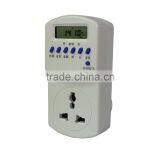
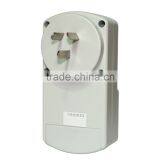
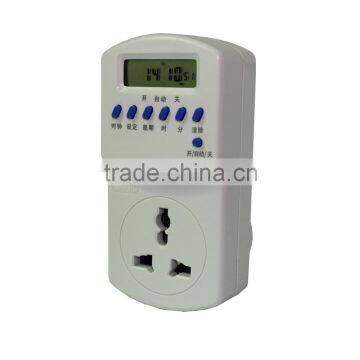

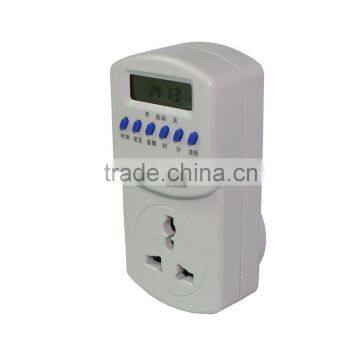
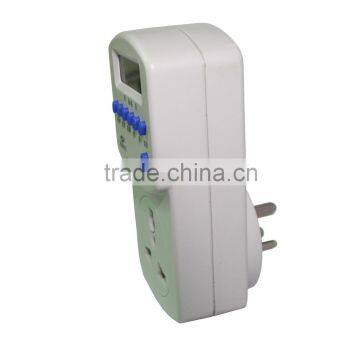


Related Products
-
 Programmable Electric Timer for LightUS$ 8.9 - 8.9MOQ: 10 Pieces
 -
Household Multiple Used Light TimerUS$ 8.9 - 8.9MOQ: 10 Pieces
-
Programmable Digital Air Conditioner Timer SwitchUS$ 8.9 - 8.9MOQ: 10 Pieces
-
Electric Programmable Light SwitchUS$ 8.9 - 8.9MOQ: 10 Pieces
-
220 V Light Digital TimerUS$ 8.9 - 8.9MOQ: 10 Pieces
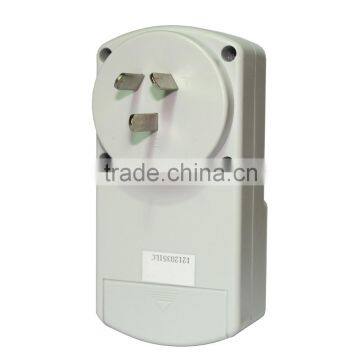
Model: KG01 light timer switch
1,Main technical parameter
Products model | KG01-16A |
Working voltage | AC220V 50HZ |
Deviation range | <±2sec/day |
Range of voltage | 85%~110% |
Ambient temperature | -10~60℃ |
Switching current | 16A |
Relative humidity | <95% |
Consumer power | <4VA |
Size | 123*68*60 |
Control time range | 1min~168 hour |
Installation | Plug base |
Timer setting
1.Make sure the time on (timer controller) display is same as local time, for re-calibration, push down the "clock" key while press down the school "week", "Hour", "Minute" key, to make time change to accurate time;
2. Press the "Settings" button, till the left display appear "1 on" word (for the first time on time). "When" and then press the "week" Select five-day work, the same day, different daily work mode, press the "points" button, enter the desired time of opening;
3. Press the "Settings" button, the display appears the bottom left of the word "OFF 1" (indicating the first off-time), and then "week", "Hour", "Minute" key, enter the desired closure date (Note: be sure to turn off the date corresponds to the date and open) and time;
4. Continue to press the "Settings" button, on left of the display will show "2 open, 2 off, 3 on, 3 off, ......, 16 open, 16 off", take reference of step 2 and 3 to set the next time switching in need.
5. If do not need to set total 16 group switches, must press the "Clear" button, so the left timer switching will be deleted. Make it appears on the display "-: -" pattern (not 00:00);
6. After the timer is set up, press the "Settings" button to check the timing of each sub-set is consistent with the actual situation. If not, please press school, school division, school week to adjust or reset;
7. Press the "On / Auto / Off" button will display the word symbol transferred to the bottom of the "automatic" position, this time, when the control switch to open automatically according to the set time, turn off the circuit. As required in the course of the temporary opening and closing the circuit, simply press the "On / Auto / Off" key symbol transferred to the corresponding word "on" or "off" position.

Send Inquiry to This Supplier

You May Also Like
-
CN101A AC 220V 16A Electric Timer SwitchUS$ 6 - 7MOQ: 10 Pieces
-
Milk Silk Belly Dance Practice Costumes Dancewear , Chest Short SleevesNegotiableMOQ: 1 Piece
-
Locking Free Standing IPad Stand Kiosk Enclosure For Digital SignageNegotiableMOQ: 1 Piece
-
2- 16 Layers Single Side FR-1 HASL Lead Free Electronic Printed Circuit Board FabricationNegotiableMOQ: 1 Piece
-
Gauge Pressure MCU Liquid Level Smart Pressure Transmitter for Power SupplyNegotiableMOQ: 1 Piece
-
BL-0603 Programmable TimerUS$ 5 - 10MOQ: 20 Pieces
-
SUL181H 24HOUR TIME SWITCHUS$ 10.7 - 11.6MOQ: 100 Pieces
-
Weekly Programmable Electronic TimerUS$ 1 - 10MOQ: 100 Pieces
-
TAIYITO LED TDXE4404S Touch Screen 2-way Fluorescent Lamp/Appliance Timing SwitchNegotiableMOQ: 1 Unit
-
SYN161h Mechanical TimerUS$ 7.5 - 8.8MOQ: 500 Pieces


