








 Contact Platform Support
 Help Center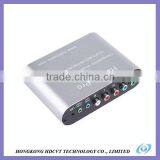

Related Products
-
 Best New ProductsNegotiableMOQ: 100 Pieces
 -
Newest ProductsNegotiableMOQ: 100 Pieces
-
WII to HDMI Adapter (Bypass), Video and Audio in Full Digital HDMI Format, no Transmission Loss!NegotiableMOQ: 100 Pieces
-
HDMI Adapter (Bypass), No Power Adaptor, no Messy Cords-just One HDMI Cable.NegotiableMOQ: 100 Pieces
-
WII to HDMI Adapter (Upscaler), Supports All Wii Display Modes (NTSC 480i 480p, PAL 576i).NegotiableMOQ: 100 Pieces
Specifications
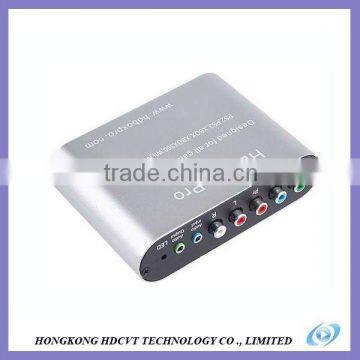
1. YPbPr to VGA plug and play, no software to install, easy to use;2. Support PS2, PS3, XBOX, XBOX360, WII, NGC, DC.
Introduction
YPbPr to VGA Converter applied with the latest development of a new generation of digital technology. Connect the Game Player box via component cable and adapter, will display on monitor or TV after the conversion.The product used the latest ultra large scale integrated circuits, with variety of digital image quality enhancing features, a powerful anti-aliasing display optimization and smoothing techniques to create high-definition video effect.With motion-adaptive progressive processing, digital zoom function and line field frequency change functions.It can be compatible with all the CRT monitors and LCD displays on the market. Especially for 1440x900, 1680x1050, or 1920x1200 resolutions 19 ", 22", 24 "and other widescreen LCD monitors.
Product Features
1. YPbPr to VGA plug and play, no software to install, easy to use;
2. Support PS2, PS3, XBOX, XBOX360, WII, NGC, DC and other game consoles;
3. YPbPr input support: 480i / p, 576i / p, 720p (60Hz/50Hz), 1080i (60Hz/50Hz), 1080p (60Hz/50Hz);
4. output: 640X480, 800x600, 1024x768, 1280x1024, 1440x900, 1400X1050, 1680x1050, 1600x1200
5. With VGA input, can be directly connected to PC VGA output, and can be freely control through the switch key ;
6. Support brightness, color, contrast adjustment function can be easy to switch between resolutions;
7. Support the 4:3 format signal without distortion display on 16:10 widescreen display ;
8. Support the 16:9 format signal without distortion display on 16:10 monitors ;
9. Support 4:3 format signal without distortion display on 5:4 widescreen display;
10. Support 16:9 format signal without distortion display on 4:3 or 5:4 monitors.
Input Signal Format
YPbPr Input:
480i, 576i, 480p, 576p, 720p/60Hz, 720p/50Hz, 1080i/60Hz, 1080i/50Hz, 1080p/50Hz, 1080p/60Hz
Output Resolution
VGA output resolution: 640X480, 800X600, 1024X768, 1280X768, 1280X1024, 1440X900, 1440X1050, 1600X1200, 1680X1050, 1920X1200, 1920X1080/60Hz
View and Set the best resolution
Press MENU button, select the DISPLAY option, into alignment after the cursor is the current resolution.Or directly press OSD key on remote control .Will display in the upper right corner of the screen.

Send Inquiry to This Supplier

You May Also Like
-
for WII TO RECEIVERNegotiableMOQ: 10 Pieces
-
China Professional Bluetooth Audio Adapter Usb Audio AdapterUS$ 6.5 - 12MOQ: 2000 Pieces
-
1 Piece Glittering Belly Dance Practice Wear / Veil , Belly Dancing Costumes For KidsNegotiableMOQ: 1 Piece
-
6 Layer OEM COB SMTPrinted Circuit Board PCB Assembly Services For LED, TelecommunicationNegotiableMOQ: 1 Piece
-
Audio / Professional Audio / Card Pack Speaker / Performance Audio Equipment / Amplifiers / PA1.3 AmplifiersNegotiableMOQ: 1 Piece
-
TOYOTA Lexus TIS MVCI InterfaceNegotiableMOQ: 1 Piece
-
Wifi Music Receiver Wireless Usb Stereo Audio Transmitter Receiver Bluetooth Music Receiver For Smart Phone MP3 MP4 PCUS$ 5.3 - 5.3MOQ: 100 Units
-
RCA Cable Injection PlugNegotiableMOQ: 3000 Pieces
-
Speaker Box With Light SA-620US$ 55 - 60MOQ: 20 Sets
-
Video Wall ControllerUS$ 100 - 250MOQ: 2 Sets


